Redirects are one of the least glamorous parts of SEO, and one of the easiest to get wrong. A single bad redirect can quietly drop a page out of Google, waste the links pointing at it, or leave visitors stuck in a loop. Get them right, and you can rename pages, move to HTTPS, change domains or rebuild a whole site without losing the rankings you have worked for.
This guide covers everything I check when I plan or audit redirects: what each type means, which one to use, how Google treats them, how to find chains and loops, and the exact code to set them up on the most common platforms. You can test any URL as you read with the free redirect checker, which traces every hop and status code.
Quick answer: use a 301 for any permanent move, which covers most SEO work. Use a 302 only when the move is genuinely temporary. Use a 308 or 307 instead when forms or API requests must keep working after the redirect. If a page is gone with no close replacement, return a 410 or 404 rather than redirecting it to the homepage. Always redirect straight to the final address in a single hop.
What is a redirect?
A redirect is an instruction from a server that says "the page you asked for is somewhere else". When a browser or a search engine crawler requests the old address, the server replies with a status code in the 300s and a Location header pointing to the new address. The browser then requests the new address automatically, usually so quickly that visitors never notice.
For SEO, the status code matters as much as the destination. It tells Google whether the move is permanent or temporary, and that decides which address Google keeps in its index and where the signals from links end up.
There are three ways to redirect a page:
- Server-side redirects (301, 302, 307, 308) are sent by the web server before any page content loads. These are the ones to use wherever possible.
- Meta refresh redirects are a tag in the page's HTML that sends the browser elsewhere. An instant meta refresh is treated much like a permanent redirect, but it is slower and less reliable.
- JavaScript redirects change the address with a script. Google can follow them when it renders the page, but they are the least reliable option and should be a last resort.
Google's own redirects documentation ranks them in the same order: server-side first, then an instant meta refresh, and JavaScript only when neither is possible.
The redirect types explained
| Code | Name | Permanent? | Keeps the request method? | Use it for |
|---|---|---|---|---|
| 301 | Moved Permanently | Yes | Not guaranteed | Almost every permanent move |
| 308 | Permanent Redirect | Yes | Yes | Permanent moves where forms or API requests must keep working |
| 302 | Found | No | Not guaranteed | Temporary moves, short promotions, maintenance |
| 307 | Temporary Redirect | No | Yes | Temporary moves where forms or API requests must keep working |
| 303 | See Other | No | No (always becomes GET) | Sending someone to a confirmation page after a form, not SEO |
| 410 | Gone | Not a redirect | n/a | A page removed for good with no replacement |
301: Moved Permanently
The 301 is the workhorse of SEO. It tells Google the old address has moved for good, so Google should index the new address instead and pass the old page's signals across to it. Use it for renamed pages, merged content, HTTP to HTTPS, www to non-www and domain changes.
308: Permanent Redirect
A 308 means the same as a 301 for SEO: Google treats both as permanent. The difference is technical. With a 308, the browser must repeat the request exactly as it was, so a form submission (a POST request) stays a POST. With a 301, some browsers turn it into a normal page request. If you are moving a page that receives form submissions or API calls, 308 is safer. Some frameworks, such as Next.js, use 308 by default for permanent redirects.
302: Found (temporary)
A 302 says the move is temporary and the original address will be back. Google usually keeps the original address in its index. Use it for genuinely temporary situations: a page under maintenance, a short promotion, or a test. If a 302 stays in place for a long time, Google may start treating it as permanent anyway, but it is far better to say what you mean and use a 301.
307: Temporary Redirect
A 307 is the temporary equivalent of a 308: temporary, and it keeps the request method. You will also see 307s from browsers themselves when a site uses HSTS, the security setting that forces HTTPS. In that case the browser invents an "internal" 307 before the request even reaches the server, so it is not something you need to fix.
410 and 404: when there is nothing to redirect to
If a page is gone and there is no close replacement, do not redirect it. Return a 404 (Not Found) or, better for pages removed on purpose, a 410 (Gone). Both tell Google to drop the page, and a 410 is a slightly clearer signal that the removal is deliberate. Redirecting everything to the homepage instead creates "soft 404s": Google sees a redirect to an unrelated page and treats it as missing anyway, while visitors land somewhere they did not expect.
Which redirect should I use?

In practice, the answer is a 301 for the vast majority of SEO work. Reach for a 308 or 307 only when request methods matter, a 302 only for something genuinely temporary, and a 410 when a page has no natural successor.
How Google treats redirects
A few points worth knowing, based on Google's own documentation and statements:
- Permanent redirects show the new address; temporary ones show the old. Google's redirects documentation says a permanent redirect shows the new target in search results, while a temporary redirect shows the source page. In canonical terms, a 301 or 308 is a strong signal and a 302 or 307 is a weak one (Google on canonicalisation).
- Redirects do not lose PageRank. Google's Gary Illyes confirmed in 2016 that 3xx redirects no longer lose PageRank, so you do not lose value just by redirecting. What does lose value is redirecting to a page that is not a genuine equivalent.
- Keep redirects in place for at least a year. Google's site move guidance says to keep redirects for as long as possible, generally at least a year, so it has time to recrawl and transfer signals. In reality, if old links still point at the old address, keep the redirect forever. It costs almost nothing.
- Google follows up to 10 hops. Google's HTTP status code documentation says its crawlers follow up to 10 redirect hops by default, but each extra hop slows crawling and adds a chance of something breaking. Aim for one.
- The destination must be worth indexing. A redirect to a page that is blocked in robots.txt, noindexed or returns an error passes nothing useful. Check the destination's robots meta tag and canonical with the URL meta analyser, and make sure robots.txt is not blocking it with the AI crawler checker, which also tests Googlebot and Bingbot.
Redirect chains and loops
A redirect chain is when one redirect leads to another, and another, before reaching the final page. A redirect loop is a chain that never ends, because one address eventually points back to an earlier one. Loops make a page completely unreachable for both visitors and Google.
Chains usually build up over time. A page is renamed, then the site moves to HTTPS, then the domain changes, and nobody updates the old redirects. Each layer adds a hop.
Here is a real example from this site. At the time of writing, requesting http://www.metachecker.co.uk/meta-title-checker takes three hops:
http://www.metachecker.co.uk/meta-title-checker
  301 -> https://www.metachecker.co.uk/meta-title-checker   (hosting forces HTTPS)
  301 -> https://metachecker.co.uk/meta-title-checker       (remove www)
  301 -> https://metachecker.co.uk/meta-title-checker/      (add trailing slash)
  200 OK
The first hop comes from the hosting provider's CDN, which switches to HTTPS before the site's own rules run, so the site's "HTTPS and non-www in one hop" rule never gets the chance. It is a small issue, because almost nothing links to the http://www version, but it shows how easily chains appear even on a site that has been tidied carefully. Here is the same chain traced in the redirect checker:

How to find and fix chains:
- Test your important URLs and old addresses in the redirect checker. It shows every hop with its status code and flags loops.
- Crawl the site with a tool like Screaming Frog and use its redirect chains report.
- Point every old redirect straight at the final address, rather than at another redirect.
- Update internal links so they point at the final address. Internal links should never need a redirect at all.
Common redirect scenarios
Renaming or moving a single page
301 the old address to the new one, update every internal link to the new address, and update the sitemap. If the old page had valuable backlinks, the redirect keeps them working. A rename is also a good moment to revisit the page's title tag; why meta titles matter covers what to check.
HTTP to HTTPS
Redirect every HTTP address to its HTTPS equivalent with a 301, page by page, never all to the homepage. Many hosts can do this with one setting. Then add HSTS once you are sure everything works on HTTPS.
www and non-www
Pick one version and 301 the other to it, keeping the path, so www.example.com/page/ goes to example.com/page/. Ideally, combine this with the HTTPS rule so both fixes happen in a single hop.
Trailing slashes
/page and /page/ are different addresses to Google. Choose one style, redirect the other to it, and link consistently.
Deleted pages and discontinued products
If there is a close replacement, such as a newer model of the same product, 301 to it. If there is not, return a 410 or 404. For products that are only temporarily out of stock, keep the page live instead of redirecting it.
Merging or consolidating content
When two thin pages become one strong page, 301 the weaker one to the merged page. This is one of the most effective uses of redirects, because the combined page keeps the signals from both.
Site migrations and domain changes
This is where redirects matter most, and where the most damage happens. See the full section below.
How to set up redirects
Apache (.htaccess)
Most shared hosting, including many WordPress hosts, runs Apache or LiteSpeed, which read .htaccess files. Always back up the file before editing it, because a typo can take the whole site offline.
# A single page
Redirect 301 /old-page/ https://example.com/new-page/

# HTTPS and non-www in one hop
RewriteEngine On
RewriteCond %{HTTPS} off [OR]
RewriteCond %{HTTP_HOST} ^www\. [NC]
RewriteRule ^(.*)$ https://example.com/$1 [R=301,L]

# A whole folder to a new folder
RewriteRule ^old-folder/(.*)$ https://example.com/new-folder/$1 [R=301,L]

# A page removed for good
RewriteRule ^discontinued-page/?$ - [G,L]
Nginx
# A single page
location = /old-page/ {
    return 301 https://example.com/new-page/;
}

# Non-www to www, or the reverse, in its own server block
server {
    server_name www.example.com;
    return 301 https://example.com$request_uri;
}
WordPress
Use a plugin rather than editing files: Redirection is free and logs 404s so you can spot pages that need redirecting, and Rank Math and Yoast SEO Premium both include redirect managers. WordPress also adds automatic redirects when you change a post's slug, but do not rely on those for anything important.
Shopify
Shopify has a built-in URL redirects manager in the admin (under Navigation, though the exact menu has moved around between admin versions), where you can add redirects one at a time or import a CSV. Shopify only lets you redirect addresses that no longer exist, and it uses 301s.
Cloudflare
Use Rules > Redirect Rules for patterns, such as a whole folder or www to non-www, and Bulk Redirects for long lists of individual URLs. Both run at Cloudflare's edge before requests reach your server, which makes them fast.
Next.js
Add redirects in next.config.js. Note that permanent: true sends a 308, not a 301, which Google treats the same way.
module.exports = {
  async redirects() {
    return [
      { source: '/old-page', destination: '/new-page', permanent: true },
    ];
  },
};
When you cannot change the server
If you are on a platform that gives you no server access, an instant meta refresh in the old page's <head> is the next best thing:
<meta http-equiv="refresh" content="0; url=https://example.com/new-page/">A JavaScript redirect (window.location.replace("https://example.com/new-page/")) is the last resort. Google can follow it after rendering the page, but it is slower to be picked up and other search engines may not follow it at all.
Redirects in site migrations
Migrations are where redirect mistakes cost the most traffic. My process looks like this:
- Crawl and export every URL on the old site, plus every URL with backlinks or traffic from Search Console and your analytics. Pages with links but no internal links are easy to miss.
- Build a redirect map: a spreadsheet of old URL to new URL, one row per page. Match like for like. Avoid sending large groups of pages to a single category or the homepage.
- Test the map before launch on a staging site. Check every row returns a single 301 to a page that returns 200.
- Launch, then test again with a crawl of the old URL list and spot checks in the redirect checker.
- Update internal links, canonicals and the sitemap to the new addresses, so the redirects are only there for old links and bookmarks.
- Use Search Console's Change of Address tool if the domain has changed.
- Monitor for several weeks: 404s in Search Console, rankings for important pages, and redirect logs if you have them.
I recently moved this site's blog from WordPress to static pages. The posts kept exactly the same addresses, so they needed no redirects at all, which is always the ideal. The old WordPress addresses were handled individually instead: the RSS feed, category and author archives and old image paths were redirected to their closest equivalents, and one empty page that should never have been published returns a 410. Nothing was sent to the homepage.
Common redirect mistakes
- Using a 302 for a permanent move. Google may keep the old address indexed for much longer than you want.
- Redirecting everything to the homepage. Google treats most of these as soft 404s, so the signals you hoped to keep are lost anyway.
- Leaving chains in place after several rounds of changes. Point every old address directly at the final destination.
- Linking internally to redirected URLs. Every internal link should point at a final, 200 status address.
- Redirecting to a noindexed, blocked or broken page. The redirect passes nothing useful.
- Removing redirects too soon. Old backlinks keep sending visitors and signals for years.
- Redirect loops, often caused by conflicting rules, such as an HTTPS rule in one place and a www rule in another.
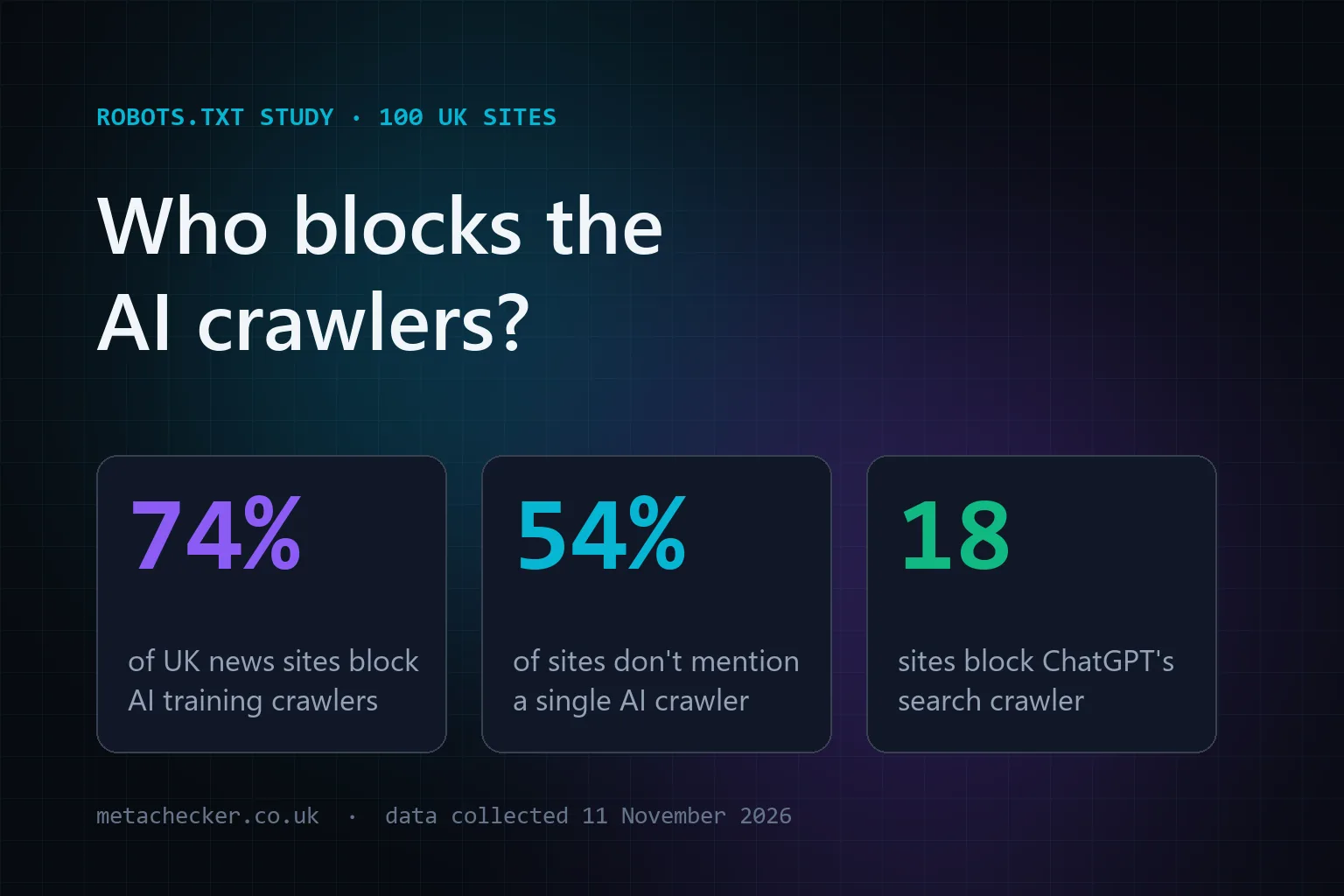
- Blocking the old or new URL in robots.txt. If Google cannot crawl the old address, it never sees the redirect. Our study of 100 UK robots.txt files shows how often rules end up doing something other than intended.
- Mixing up trailing slashes, so
/pageredirects to/page/and back again. - Redirecting by JavaScript when a server-side redirect was possible.
- Not testing after launch. Rules that worked on staging can behave differently behind a CDN or a cache.
Redirect audit checklist
- Every permanent move uses a 301 (or 308).
- No chains: every redirect goes straight to its final address in one hop.
- No loops.
- Every redirect destination returns a 200 status and is indexable.
- Removed pages with no replacement return 404 or 410, not a homepage redirect.
- Internal links, canonical tags and the XML sitemap point at final addresses only.
- HTTP, www and trailing slash variations all resolve to one version, ideally in one hop.
- Redirects from previous migrations are still in place.
- Important old URLs, especially those with backlinks, have been tested in the redirect checker.
Redirects FAQs
Do redirects hurt SEO?
No, not in themselves. Google has said that 3xx redirects pass link signals without a penalty. The damage comes from the wrong type of redirect, long chains, redirecting to unrelated pages, or removing redirects too early.
What is the difference between a 301 and a 302 redirect?
A 301 tells Google the move is permanent, so it indexes the new address and moves the signals across. A 302 says the move is temporary, so Google usually keeps the original address indexed. Use 301 for anything permanent.
Is a 308 redirect better than a 301?
For SEO they are treated the same. A 308 also guarantees the request method stays the same, which matters for forms and APIs. For normal pages, either is fine, and 301 is the most widely supported.
How long should I keep redirects in place?
Google recommends at least a year. If the old address still has backlinks or gets visits, keep the redirect indefinitely, because it costs almost nothing to maintain.
How many redirects in a chain is too many?
Googlebot follows up to 10 hops, but you should aim for a single hop. Every extra redirect slows down crawling and page loads and adds another point of failure.
Should I redirect 404 pages to the homepage?
No. Google usually treats homepage redirects from unrelated pages as soft 404s, so you gain nothing, and visitors land somewhere they did not expect. Redirect to a close equivalent if one exists, otherwise let the page return a 404 or 410.
How do I check where a URL redirects to?
Paste it into the free redirect checker. It shows every hop, the status code at each step, response times, and whether there is a chain or a loop.